
What is hierarchy management?


Understanding hierarchies
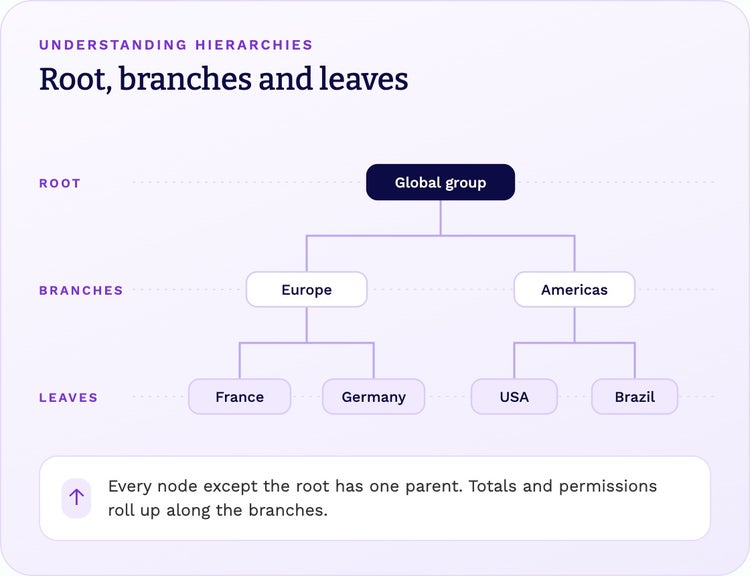
A hierarchy arranges records into levels: a root at the top, branches in the middle and leaves at the bottom. Every node except the root has a parent, and a parent can have many children. Hierarchies turn flat lists of master data and reference data into structures people can navigate, roll up and report on.
Common examples:
- Organizational: legal entities, business units, departments and reporting lines.
- Product: categories, subcategories, product families and items.
- Geographic: regions, countries, territories and sites.
- Financial: charts of accounts, cost centers and profit centers.
- Customer: corporate families, ownership structures and households.
Types of hierarchies
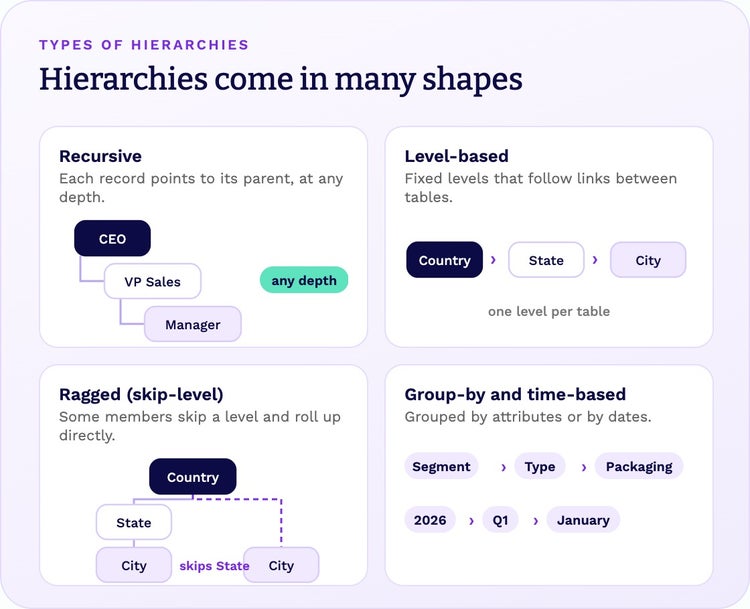
Real-world structures rarely fit one neat pattern. Most organizations need several kinds:
- Recursive (parent-child) hierarchies: each record points to its parent in the same table, so the structure can go as deep as needed, with any number of children per node. Typical for org structures, cost centers and accounts.
- Level-based hierarchies: fixed, named levels, often across different tables, such as country, state and city, or category, brand and product.
- Ragged (skip-level) hierarchies: some members skip a level. Countries without states still have cities, so those cities roll up directly to the country.
- Organization structures: legal entity, management and cost center views of the same company, each with its own reporting lines.
- Group-by and time-based hierarchies: records grouped by their own attributes, such as segment, type and packaging, or by dates, such as deadlines by quarter and month.
Alternate hierarchies: one set of records, many views
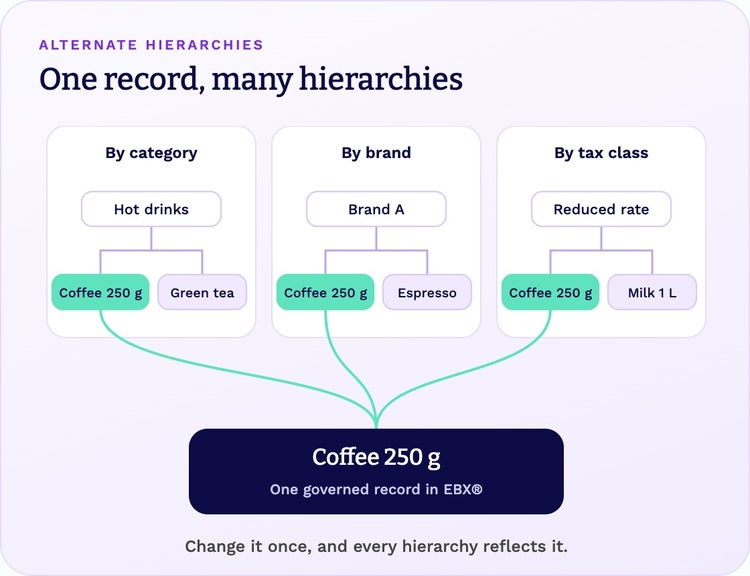
The same records often need to sit in several structures at once. Products can be organized by category for merchandising, by brand for marketing and by tax class for finance. Customers can be grouped by legal ownership for risk and by sales territory for sales. Some records even belong under more than one parent in the same structure.
With alternate hierarchies, each team gets the view it needs without copying the data. When a record changes, every hierarchy that uses it reflects the change, so reports built on different views still reconcile.
Hierarchies in metadata
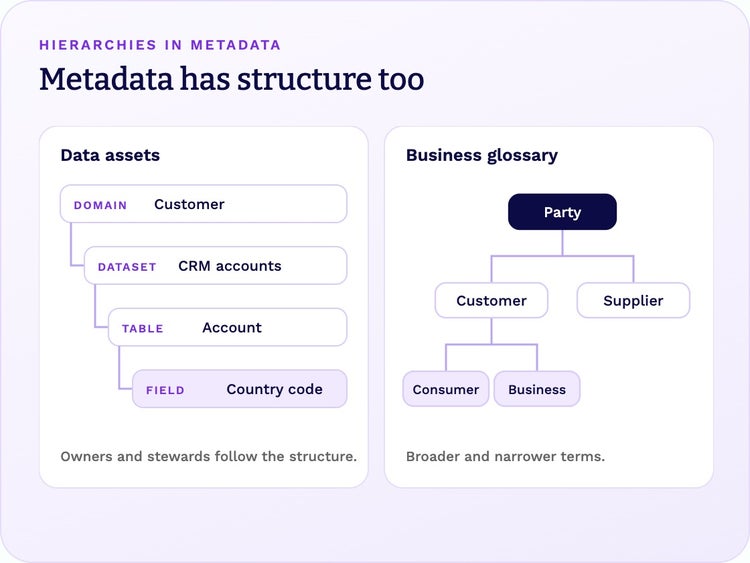
Hierarchies organize more than business data. Metadata has structure too:
- Data assets: data domains contain datasets, which contain tables, which contain fields.
- Business glossaries: broad terms break down into narrower ones, such as Party into Customer and Supplier.
- Ownership and stewardship: responsibilities follow the structure, from domain owners down to the stewards of individual fields.
Metadata hierarchies help people find and understand data, not just the values inside it.
Hierarchies, taxonomies and ontologies
These terms are related, but they are not the same:
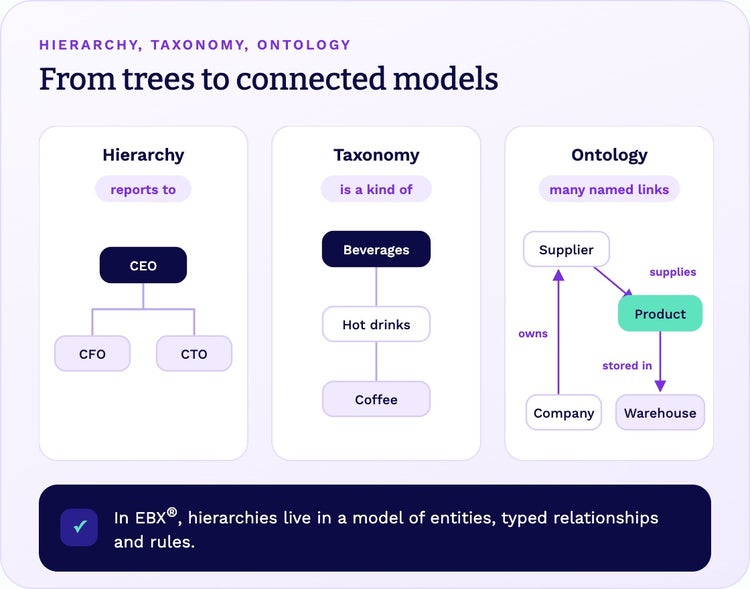
- A hierarchy is a tree with one kind of link, such as “reports to” or “is part of”.
- A taxonomy is a classification hierarchy, where each child “is a kind of” its parent: Beverages, then Hot drinks, then Coffee.
- An ontology is a network of concepts connected by many kinds of named relationships, such as “supplies”, “owns” and “is located in”, together with the rules that apply to them.
Ontologies capture the richest context, which is why they matter for analytics and AI. In EBX®, hierarchies live inside a data model that already defines entities, typed relationships and rules, so every hierarchy is part of a connected model rather than an isolated tree.
How EBX manages hierarchies
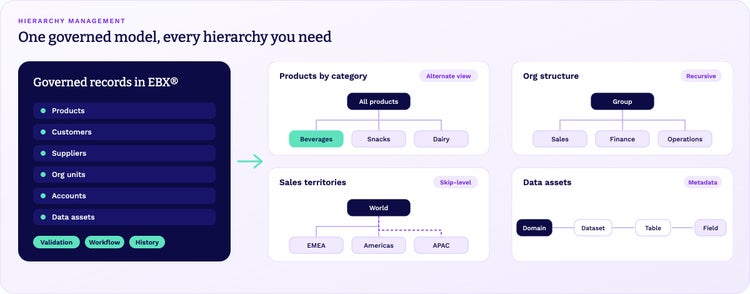
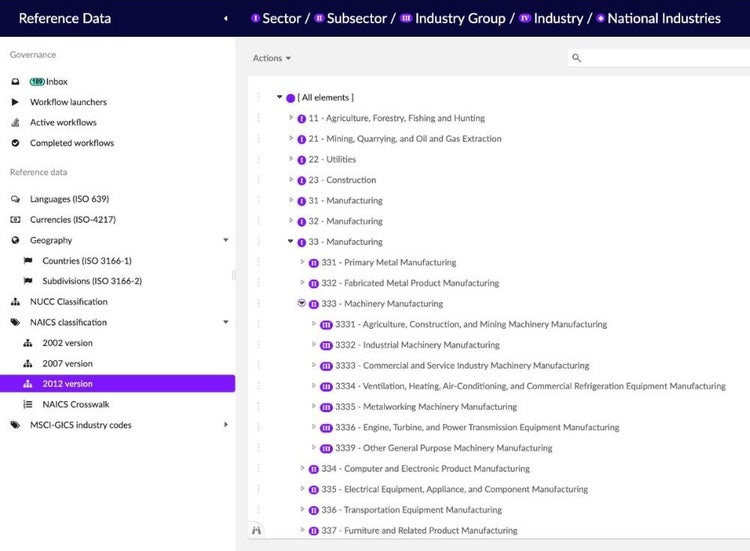
In EBX®, a hierarchy is a view of governed data, not a separate copy of it. You define its dimensions from the relationships in your data model, and EBX displays and maintains the tree.
- Recursive and unlimited: parent-child hierarchies of any depth, with any number of children, plus cycle detection and orphan handling.
- Across tables: level-based hierarchies that follow foreign key relationships between tables.
- Ragged and skip-level: members can skip a level, as with cities in countries that have no states.
- Alternate views: several hierarchies on the same data, including group-by and time-based hierarchies, each available to the users and roles who need it.
- Multiple parents: when the data model allows it, a record can sit under several parents at once.
- Edit in the tree: create records under a node, move them to another parent or detach them, with validation and permissions applied.
- Metadata too: EBX metadata management shows data assets in a hierarchical view.
- Governed change: workflows, isolated work in dataspaces before publishing, and full history.
See hierarchies in practice in reference data management and supplier data management.
Manage hierarchies with EBX®
Talk to our team about your hierarchies, or explore how EBX® (formerly TIBCO EBX) models, governs and shares master data, reference data, hierarchies and metadata in one platform.
